Pay by card
Cards are charged through Stripe. Payment confirms within seconds; the invoice turns Paid right away.
Demo site: payments are simulated. The card numbers, Bitcoin addresses and bank details here are test values and never move real money.
Open the payment page
From the invoice email click Pay invoice, or in Orbit open the invoice and click Pay now, then choose Card.
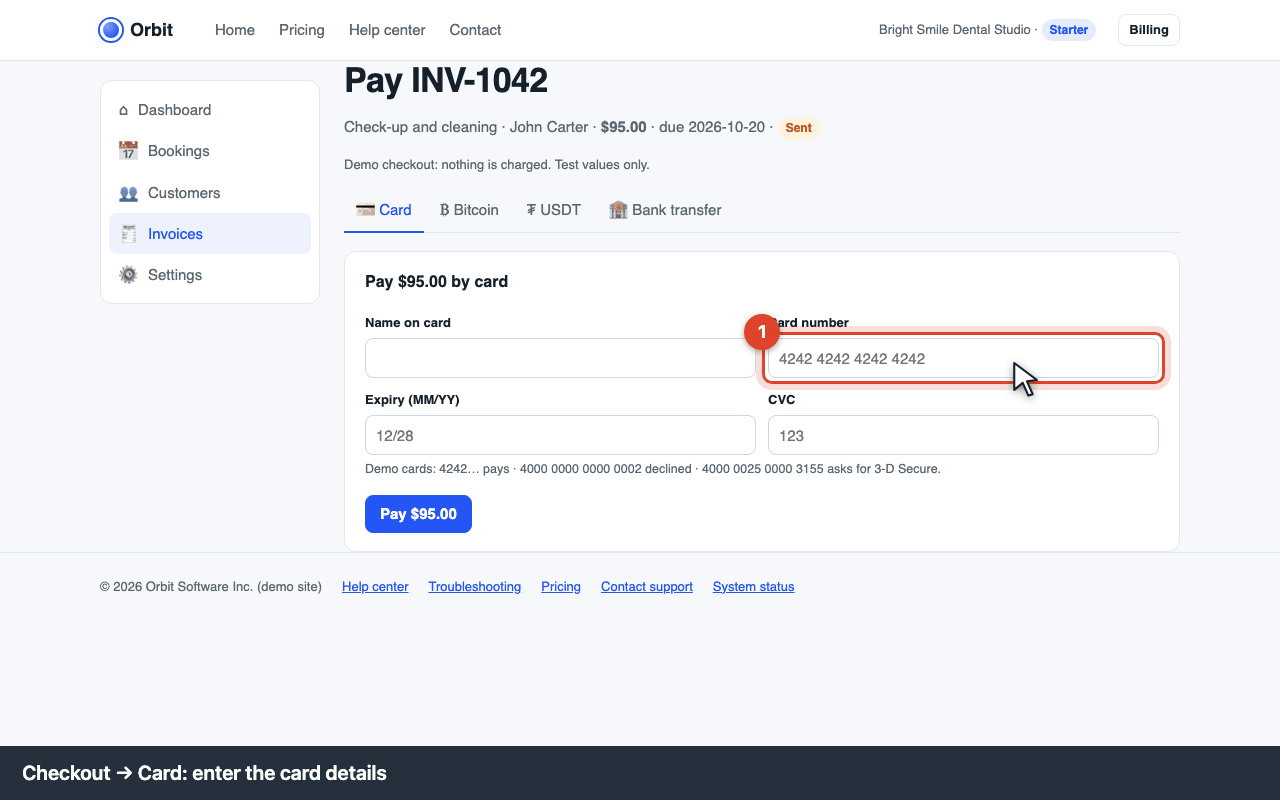
Checkout: Card selected Enter the card
Name on card, number, expiry and CVC. Test cards on this demo:
4242 4242 4242 4242pays,4000 0000 0000 0002is declined,4000 0025 0000 3155asks for 3-D Secure. Any future expiry and any 3-digit CVC.Confirm with your bank if asked (3-D Secure)
Your bank may show a window asking you to approve the payment in its app or with a code. Approve it and the payment completes.
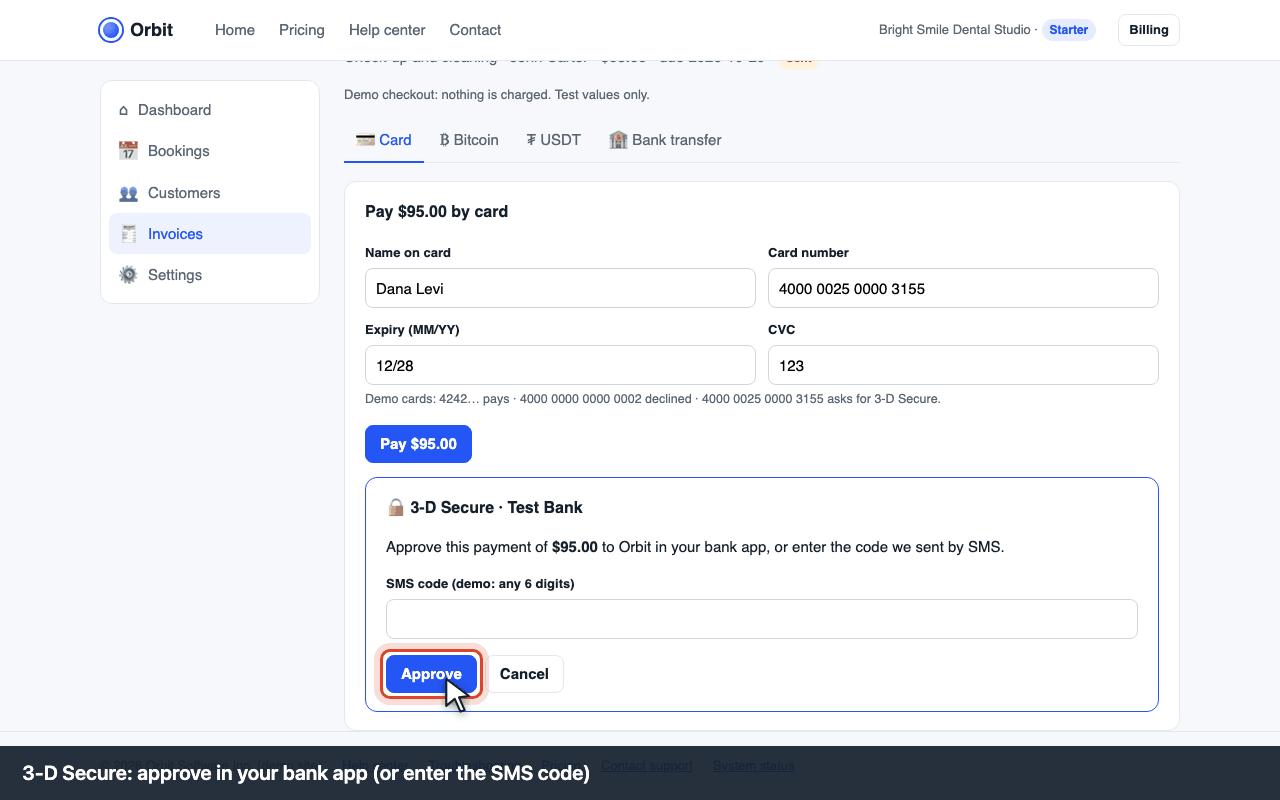
3-D Secure: approve in your bank app

Fees and receipts
No fee for the payer. A receipt is emailed as soon as the payment succeeds. Refunds go back to the same card within 5–10 business days.
Errors and what to do
| Code | What you see | What to do |
|---|---|---|
| E-PAY-402 | “Your card was declined” | The bank refused the charge; nothing was taken. Try another card, check the card isn't blocked for online or foreign payments, or contact the bank. The invoice stays open. |
| E-PAY-403 | “Authentication failed” / “3-D Secure was cancelled” | The bank's approval wasn't completed. Pay again and approve the request in the bank app (or enter the SMS code) within 5 minutes. |
| E-PAY-404 | “Your card has expired” / “Incorrect CVC” | Check the expiry date and the 3 digits on the back (4 on the front for Amex) and try again. |
| E-PAY-405 | “Live payments aren't set up” | The business hasn't connected a payout bank account yet (Settings → Payments). Pay by bank transfer instead or ask them to finish the Stripe setup. |