SMS reminders
SMS reminders cut no-shows by about 40%. They're included in Pro (500 SMS/month) and Business (2,000/month); extra SMS cost $0.02 each. Email reminders are free on every plan.
Open Settings → Notifications.
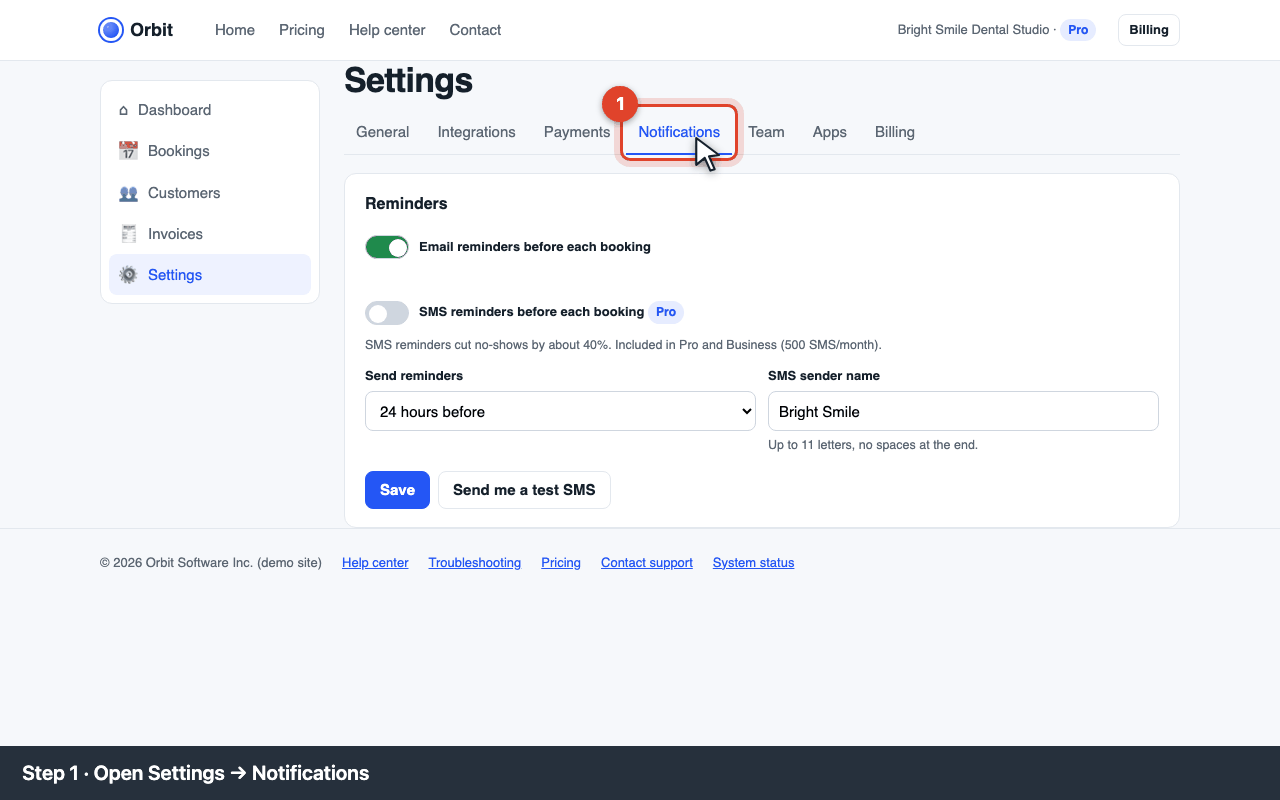
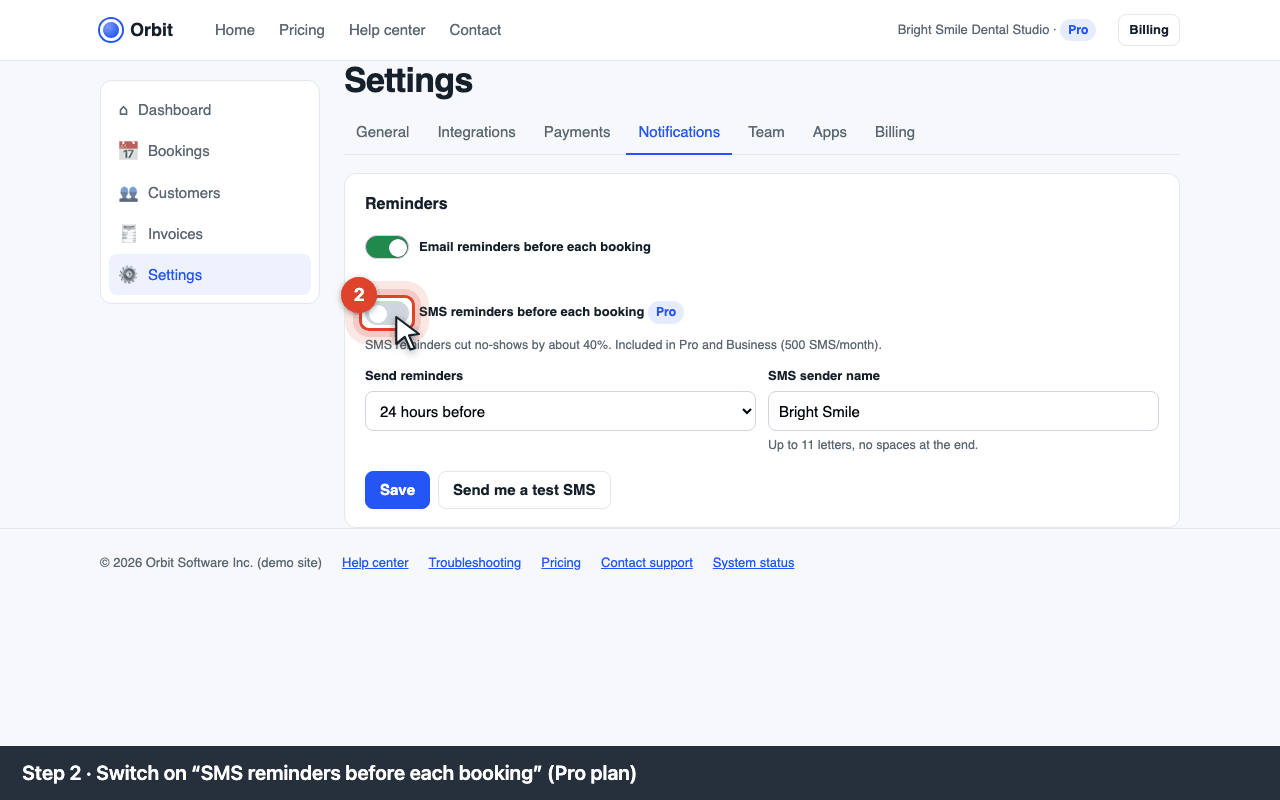
Settings → Notifications tab Switch on SMS reminders before each booking. On the Starter plan this shows error E-SMS-001: upgrade to Pro in Billing first, then come back.
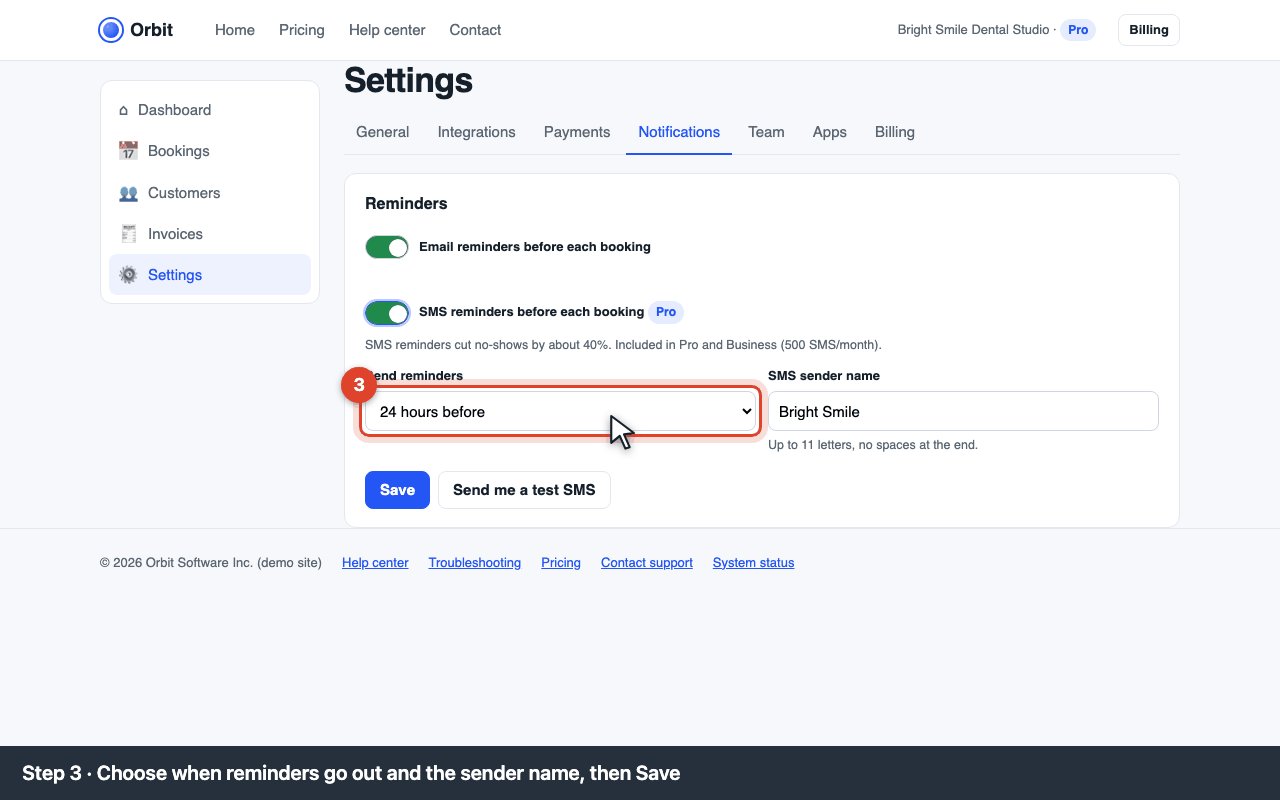
SMS reminders switch Choose when reminders go out (24 hours before, 2 hours before, or both) and set the SMS sender name (up to 11 letters, e.g. your business name). Click Save.
Timing and sender name Click Send me a test SMS to check the text and sender name on your own phone.
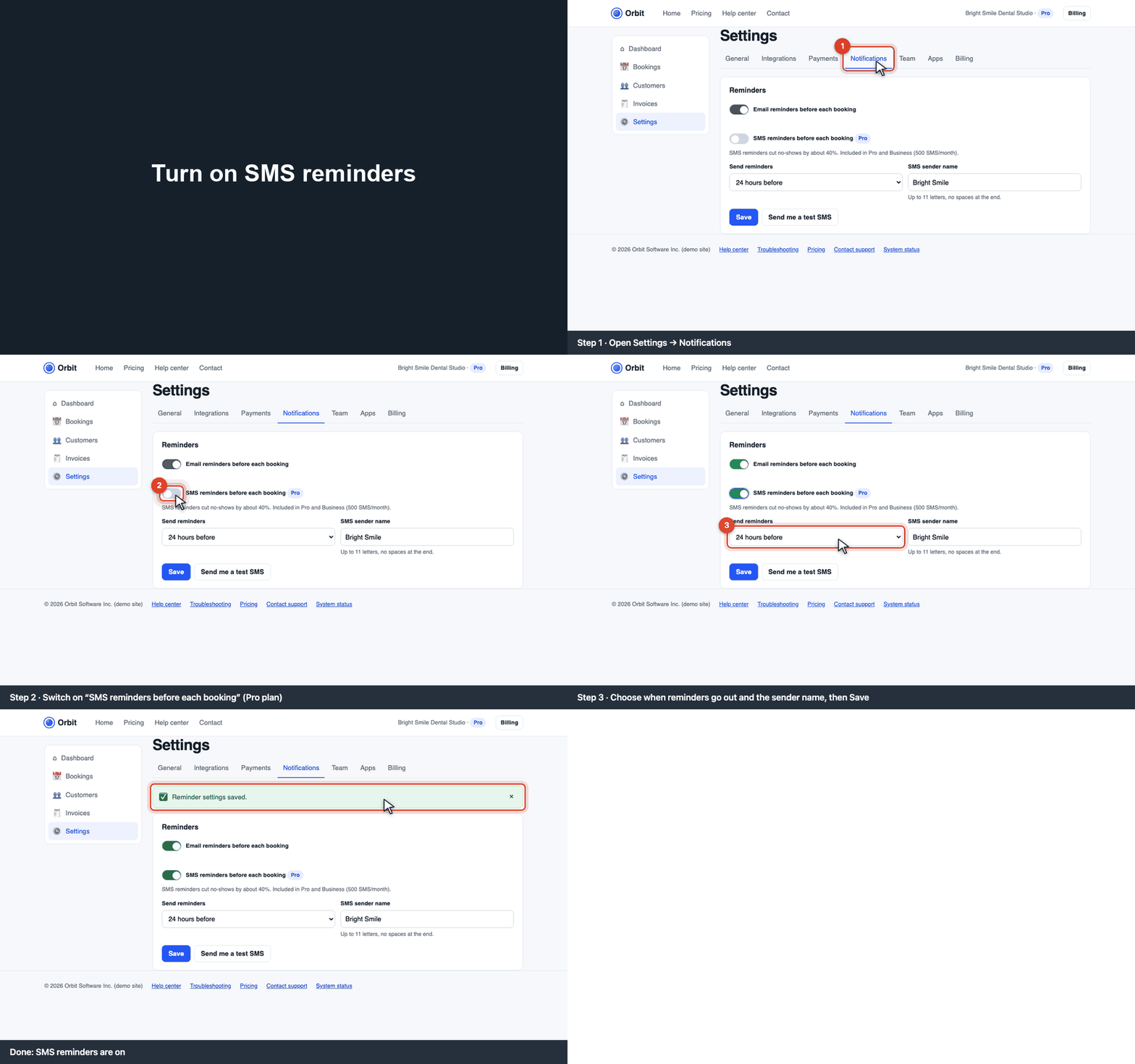
What the SMS says
“Hi Dana, reminder: Teeth whitening at Bright Smile tomorrow 09:30. Reply C to confirm or call +1 212 555 0100.” Customers can reply C to confirm; the booking turns green.
Error codes
E-SMS-001 · SMS reminders need the Pro plan
Upgrade in Settings → Billing (Pro, $49/month). The upgrade is immediate and prorated.
E-SMS-002 · turn on and save before testing
Switch SMS reminders on and click Save, then Send me a test SMS.
E-SMS-003 · no SMS credit left
The monthly SMS included in your plan are used up and overage is off. Turn on overage ($0.02 per SMS) in Billing, or wait for the next month.
Customers in other countries
SMS to numbers outside the US and Canada cost $0.06 each and need the country code (+44 …).