Team and permissions
Invite your team so bookings land with the right person. Starter includes 2 team members, Pro 10, Business unlimited.
Roles
| Role | Can do | Can't do |
|---|---|---|
| Owner | Everything, including billing and deleting the account | — |
| Admin | Bookings, customers, invoices, settings, integrations, invite staff | Billing, delete account |
| Staff | Their own bookings and customers they serve; take payments | Settings, invoices of others, team |
Invite a team member
Open Settings → Team.
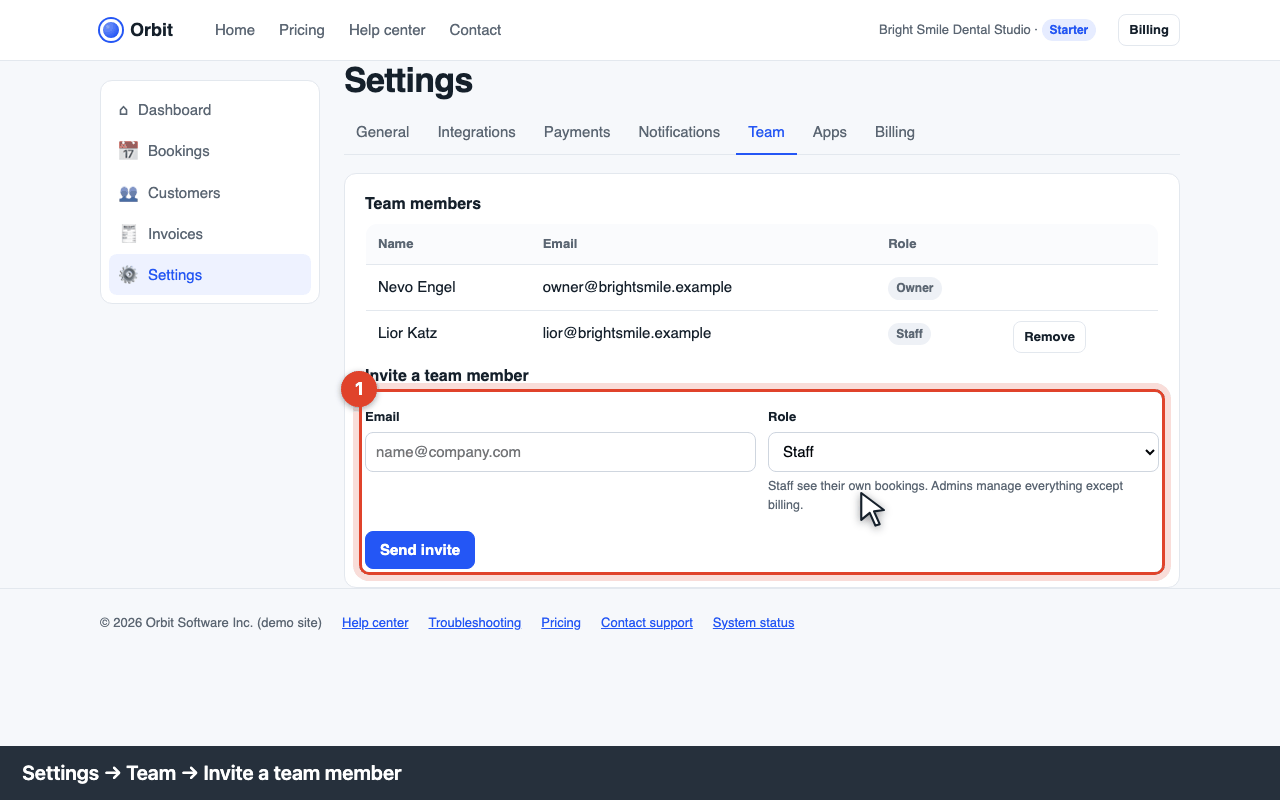
Settings → Team: invite form Enter their email, choose Staff or Admin, and click Send invite. They get an email with a link that works for 7 days.
Once they accept, they appear in the list and can pair the mobile app on their own phone.
Error codes
E-PLAN-002 · plan limit reached
Starter includes 2 team members. Upgrade to Pro in Billing, or remove a member first.
E-TEAM-201 · already on the team
That email is already a member. To change their role, remove and re-invite them.