Pay with Bitcoin or USDT
Each invoice gets its own address and a 15-minute price lock. Bitcoin confirms in about 10–30 minutes; USDT on TRON (TRC-20) in a minute or two.
Demo site: payments are simulated. The card numbers, Bitcoin addresses and bank details here are test values and never move real money.
Choose Bitcoin or USDT
On the payment page choose Bitcoin or USDT. For USDT pick the network you'll send on: TRC-20 (TRON, lowest fee) or ERC-20 (Ethereum). Sending on a different network than the one you picked loses the payment (E-PAY-512).
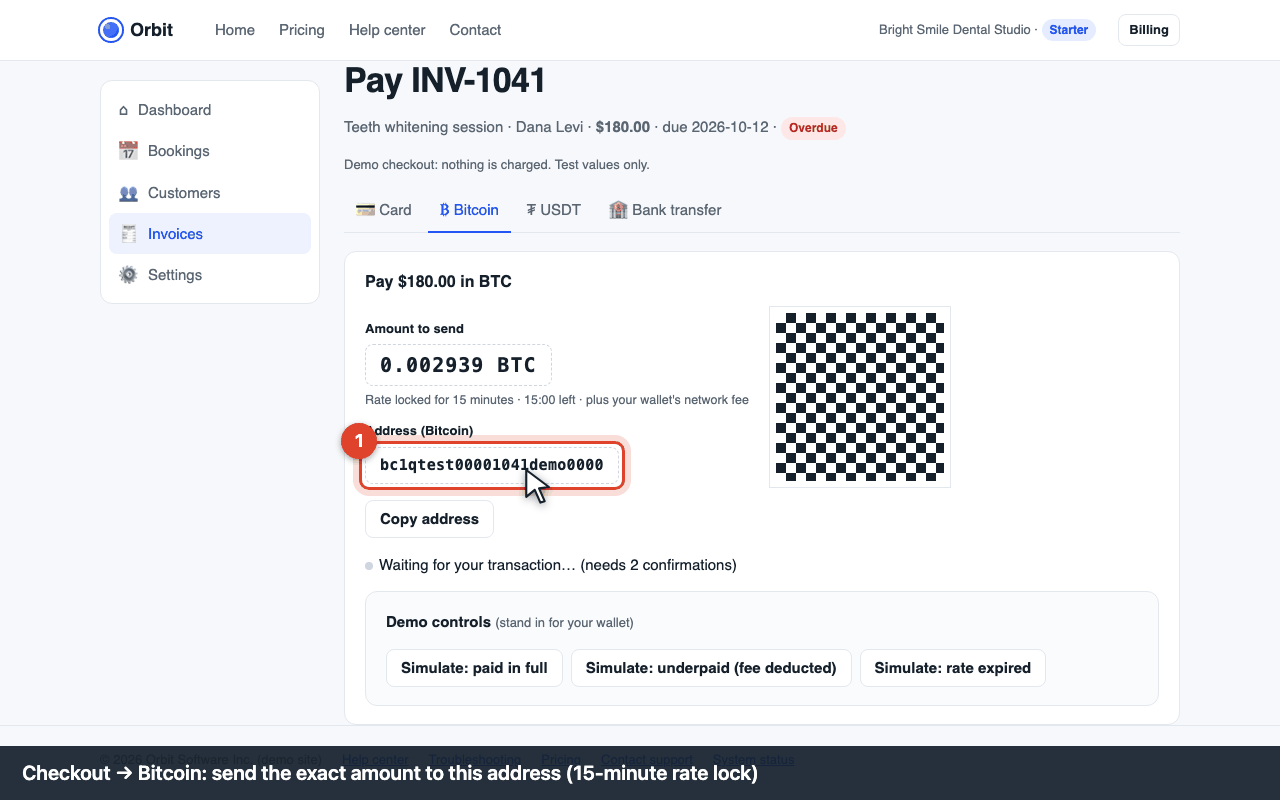
Checkout: Bitcoin address, amount and QR code Send the exact amount
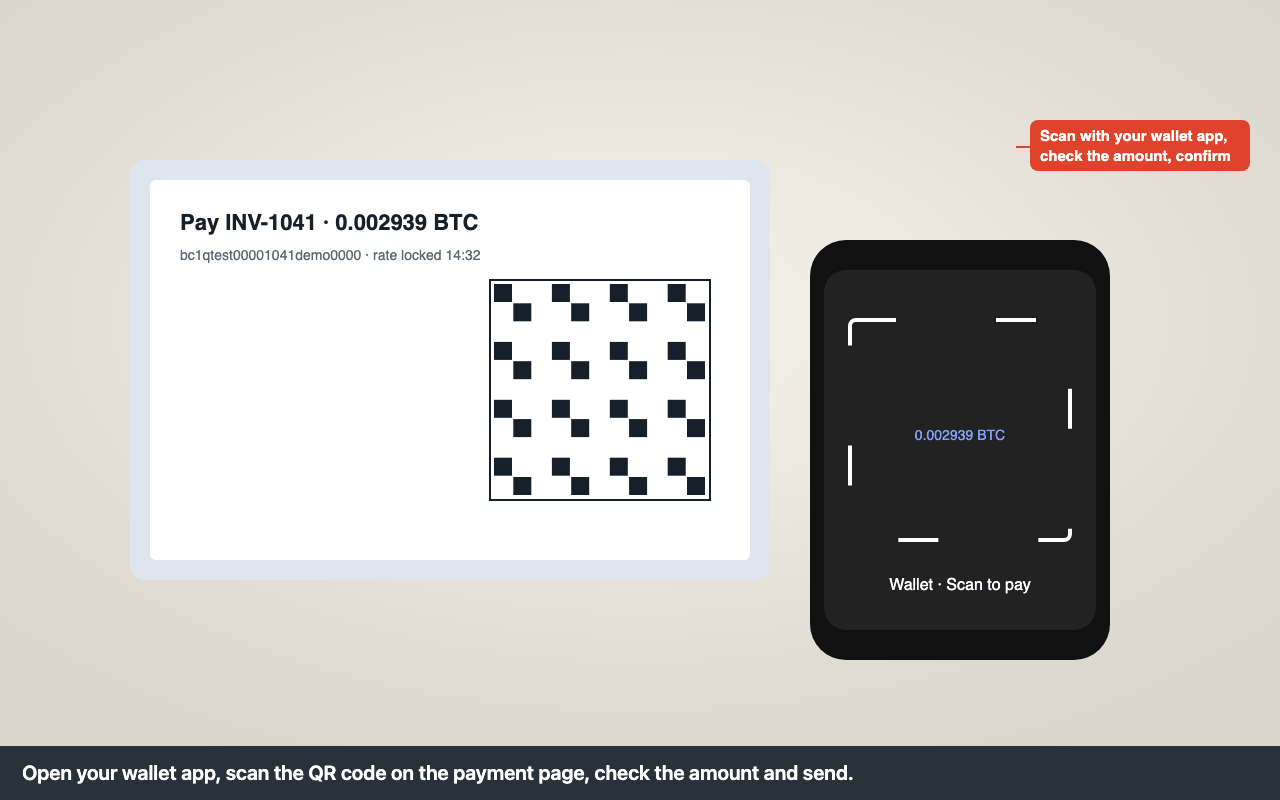
Scan the QR code with your wallet or copy the address. Send the amount shown on top of your wallet's network fee, so the full amount arrives. The amount is locked for 15 minutes; after that the page shows a new amount.
Wait for confirmations
The page shows “payment detected” as soon as your transaction appears, then counts confirmations: 2 for Bitcoin, 20 blocks for USDT TRC-20 (about a minute). The invoice turns Paid and a receipt is emailed.
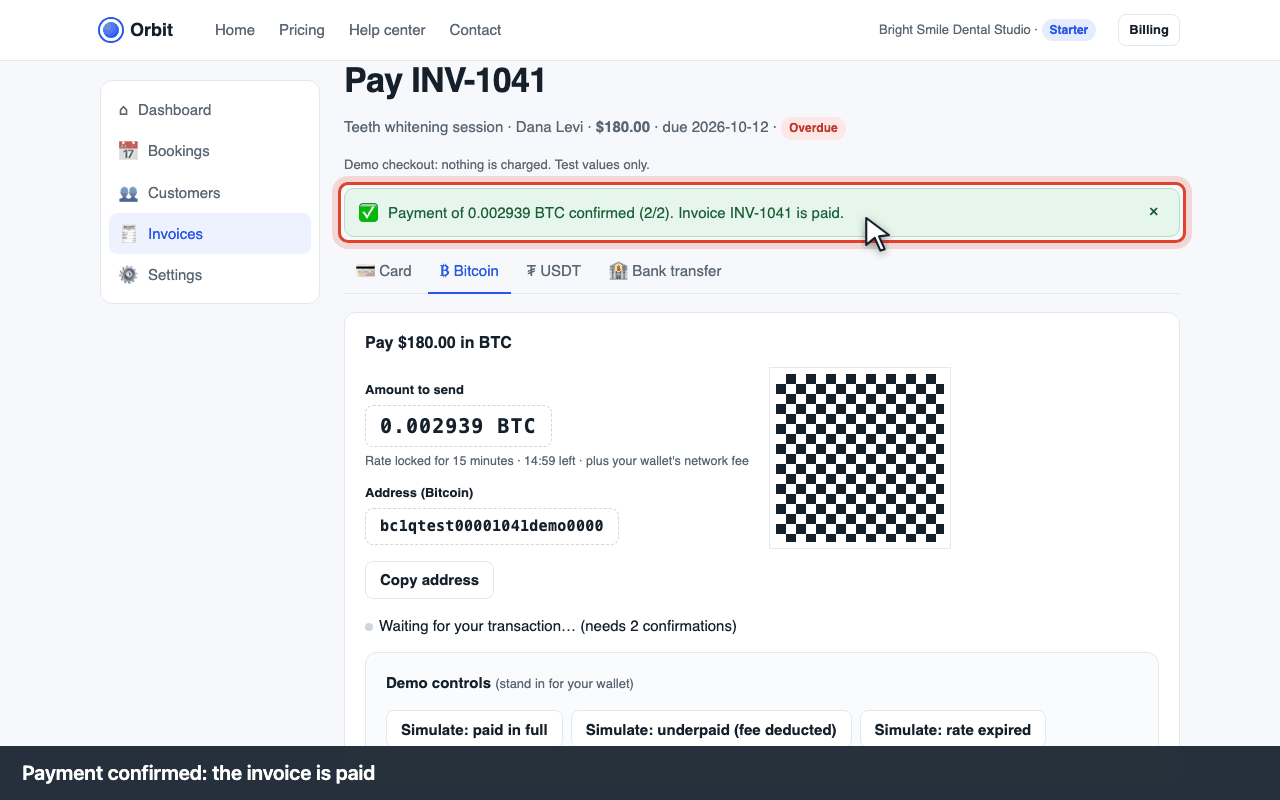
Payment confirmed
Exchange rate and fees
The BTC/USDT amount is fixed when the page opens and held for 15 minutes. You pay your wallet's network fee; Orbit adds nothing. Refunds of crypto payments are made in the same coin to an address you give us.
Errors and what to do
| Code | What you see | What to do |
|---|---|---|
| E-PAY-510 | “Underpaid: X BTC received, Y BTC missing” | Your wallet deducted the network fee from the amount, or the price lock expired before the transaction arrived. Send the missing amount shown on the page to the same address within 24 hours, or click Request refund to get the partial payment back (minus network fee). |
| E-PAY-511 | “This payment request expired” | The 15-minute price lock ran out before a transaction appeared. Click Get a new address for a fresh amount. If you already sent coins to the old address, they're credited automatically when they confirm; contact support with the transaction id if the invoice isn't Paid within an hour. |
| E-PAY-512 | “Wrong network” | USDT sent on a different network than the one chosen (e.g. ERC-20 to a TRC-20 address) can't be recovered automatically. Contact support with the transaction id; recovery is possible in some cases and costs a network fee. |
| E-PAY-513 | “Waiting for confirmations” for a long time | Bitcoin fees below the current rate can take hours. Wait, or speed it up with RBF/CPFP in your wallet. Nothing to do on our side. |
| E-PAY-514 | “Overpaid” | The extra is refunded to the address you enter on the page, minus network fee, within 2 business days. |