Pay by bank transfer
For larger invoices. Domestic transfers arrive in 1 business day, international (SWIFT) in 2–5. The invoice turns Paid when the money arrives and is matched by its reference.
Demo site: payments are simulated. The card numbers, Bitcoin addresses and bank details here are test values and never move real money.
Get the bank details
On the payment page choose Bank transfer. You'll see the account name, IBAN, BIC/SWIFT and the payment reference (e.g.
ORB-INV-1042). Demo values: IBANGB00 TEST 0000 0000 0000 00, BICTESTGB2L.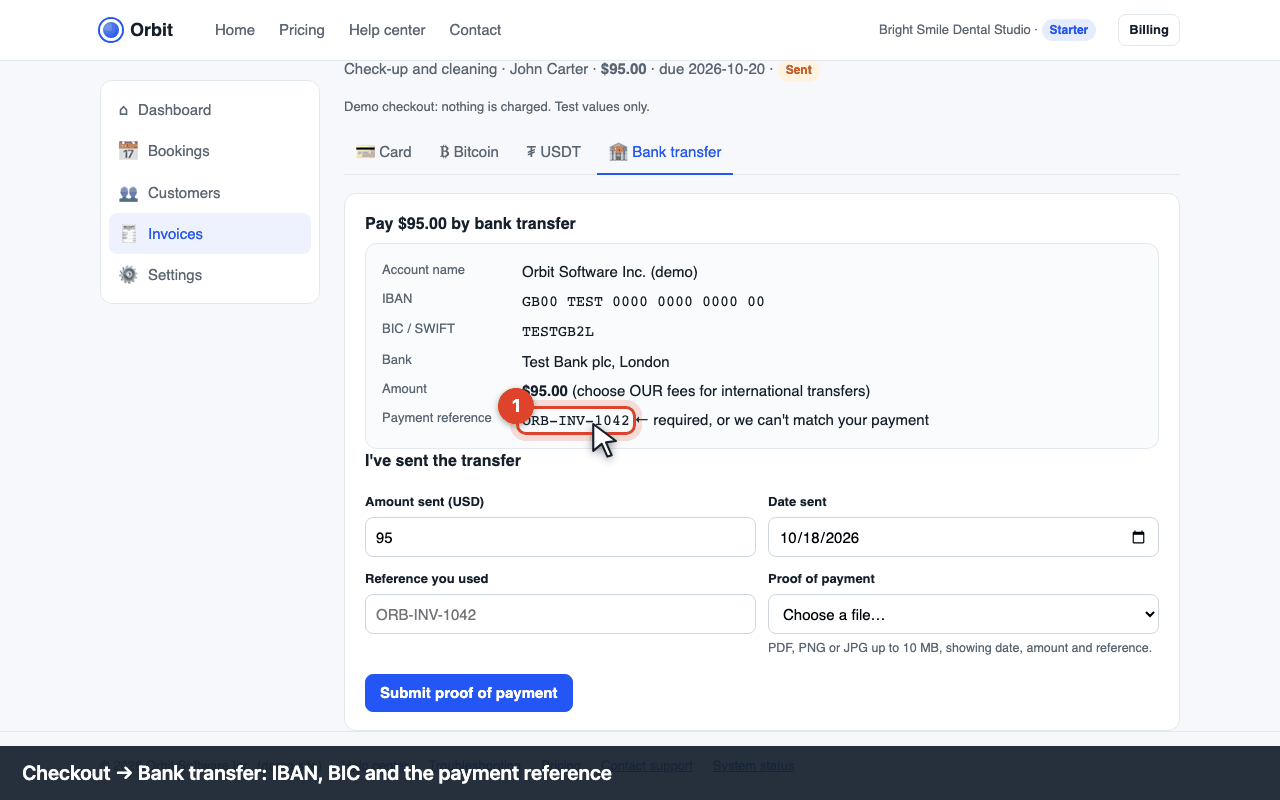
Checkout: bank details and reference Send the transfer from your bank
Pay the exact invoice amount and put the reference in the payment reference / message field. Without it we can't match your payment (E-PAY-520). Choose “OUR” for international fees so the full amount arrives.
Tell us you've paid
Click I've sent the transfer, enter the amount, date and reference, and attach proof of payment (PDF or screenshot from your bank). The invoice shows Payment pending until the money arrives.
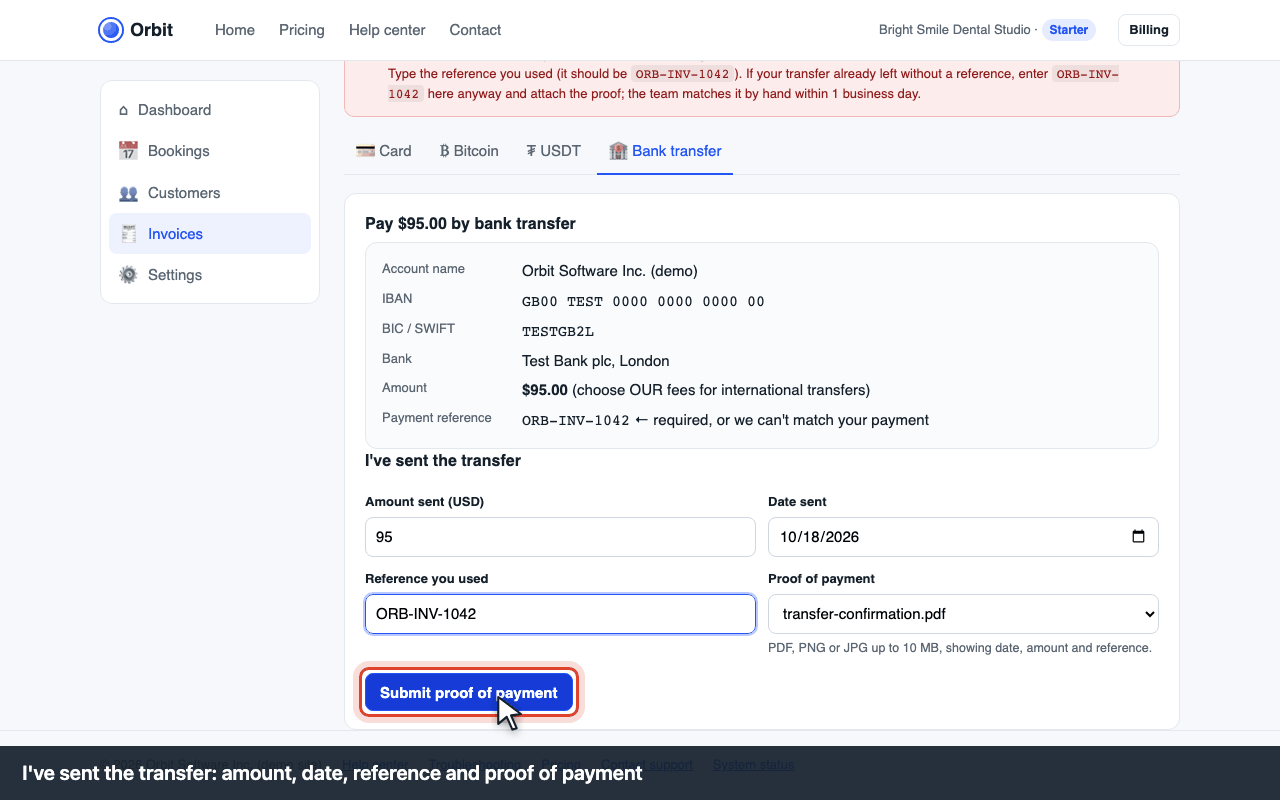
I've sent the transfer: amount, date, reference, proof

How long does it take?
- Same country, same currency: usually the next business day.
- SWIFT international: 2–5 business days; correspondent banks may deduct $10–30 unless you choose OUR fees.
- Weekends and bank holidays don't count.
Errors and what to do
| Code | What you see | What to do |
|---|---|---|
| E-PAY-520 | “Payment reference missing” | Add the reference exactly as shown (e.g. ORB-INV-1042). If the transfer already left without it, submit the proof of payment with the reference typed in; the team matches it by hand within 1 business day. |
| E-PAY-521 | “Amount received differs from the invoice” | Your bank or an intermediary deducted fees. Transfer the difference with the same reference, or ask the business to accept the short amount. |
| E-PAY-522 | “Proof of payment missing or unreadable” | Attach a PDF or screenshot showing the date, amount, your account and the reference (max 10 MB, PDF/PNG/JPG). |
| E-PAY-523 | Still “Payment pending” after 5 business days | Ask your bank for the transfer's tracking number (UETR/MT103) and send it to support; most delays are a wrong reference or a bank holiday. |